Download and open
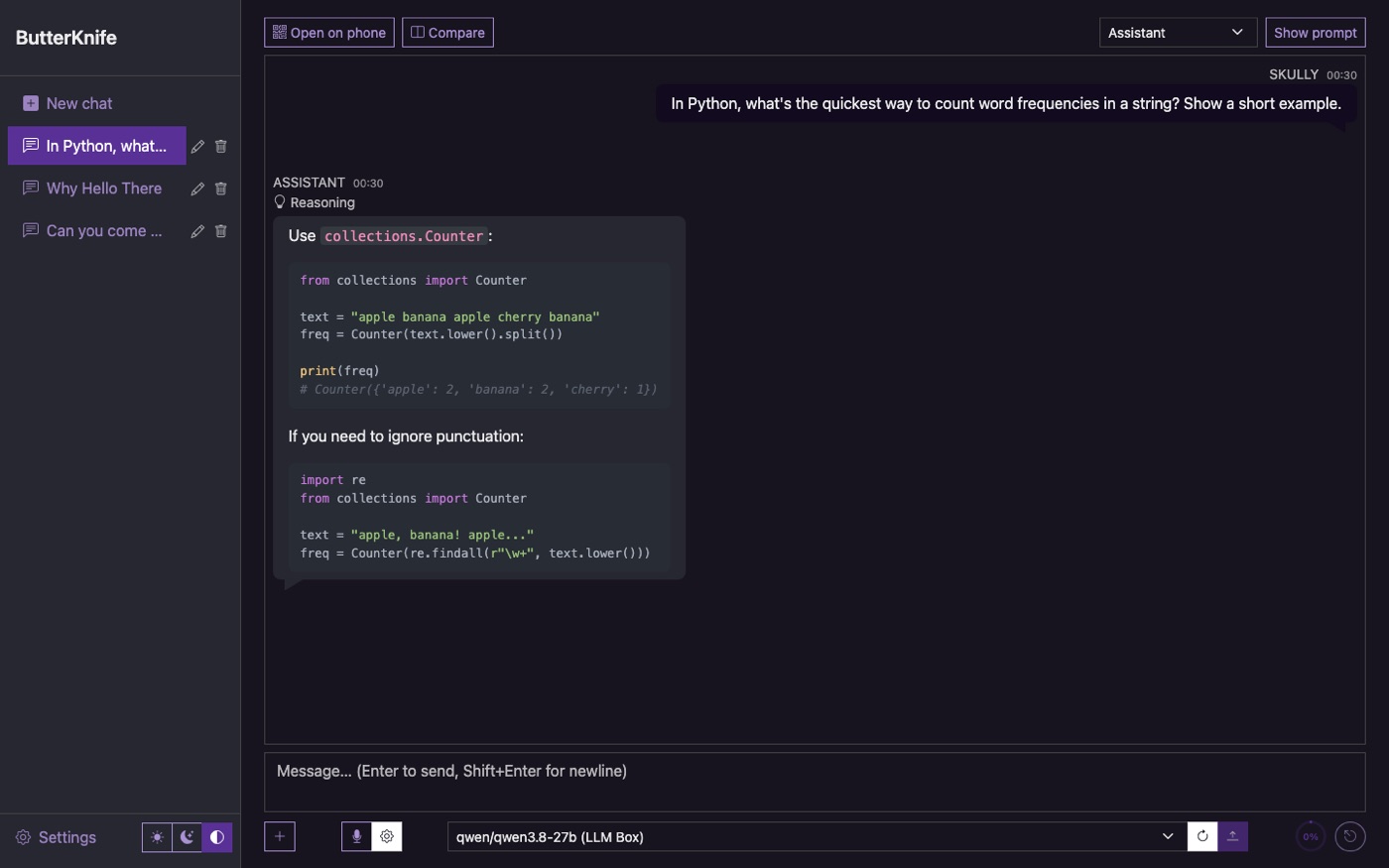
One download. Open it and it's ready.
 ButterKnife
Open it, pick a model, start talking. Your chats stay on your machine. Nothing leaves the house.
Public alpha. Free for personal use. No account, nothing to set up. Source on GitHub.
One download. Open it and it's ready.
It finds the models on your network. Pick one and go.
Ask anything. Show it a picture, hand it a PDF, take the conversation wherever it goes.
Scan a QR code and the same chats are on your phone.
Ollama, LM Studio, and anything else you already run.
Give the model a personality. Pick one that's ready, or write your own.
Show it a photo, hand it a PDF, or ask for a picture and watch one appear.
A good conversation never hits a wall. Older turns are tidied up for you.
See the model's reasoning when you want it. Code, maths and diagrams come out looking right.
Your chats are yours. Back them up, export them, take them to a new computer.
A Mac (Apple Silicon or Intel), Windows or Linux computer, and a model server somewhere on your network. Ollama or LM Studio on the same machine is the easiest start. No account, no Docker, no Python.
Ollama and LM Studio out of the box, plus anything with an OpenAI-style API: vLLM, llama.cpp server, text-generation-webui, LocalAI. For voice input it talks to whisper.cpp, Speaches, faster-whisper-server and LocalAI. Claude works too, with an Anthropic API key.
Yes. Chats, images and settings live in a single file on the machine running ButterKnife, and the only things it talks to are the model servers you added. No account, no telemetry. The one outside request is an optional check for a newer version, which you can switch off.
Yes, on the same Wi‑Fi. Turn on network access in Settings and press Open on phone in any chat for a QR code. Set a PIN so only people who know it can open your chats.
With Crayon Cloud running on a Mac. Type /image a lighthouse at dusk in a chat and the picture lands in the conversation.
Nothing. Free for personal use, hobby projects, education and non-profits under the PolyForm Noncommercial License. Commercial use needs a word with me first.
Download ButterKnife and you're chatting in a minute.